


Melon Sandbox
4.755.08K Reviews
App Specs
- Version
- 38.666
- Updated On
- License
- Free
- Downloads
- 100,000,000+
- Developer
- playducky.com
- Categories
- Simulation
- Platform
- Android
Screenshots
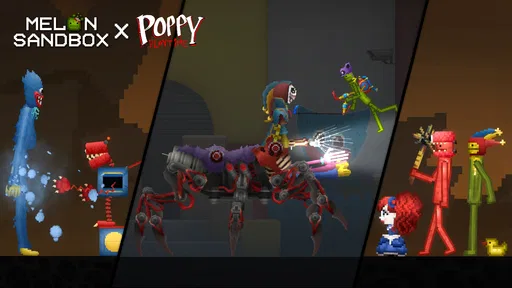
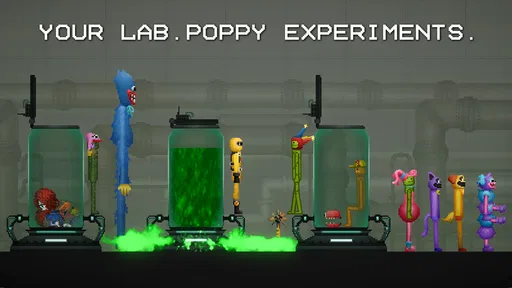


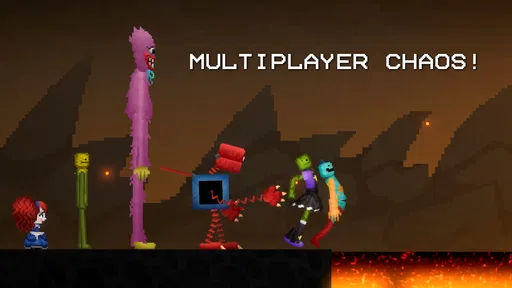

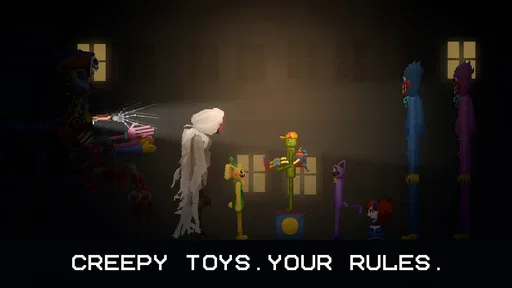
 Analysis by AppCompare
On a shared tablet, Melon Sandbox works best as a pass-around creative toy: one person sets up a scene, another changes it, and everyone can see how the experiment turns out. I like that there is no single correct way to spend a session. A child might arrange objects, while an older player tests a chain reaction or builds a little obstacle scene. The appeal is less about finishing a level and more about deciding what to try next.
That freedom also makes the game easier to pick up in short bursts than a simulation with a long tutorial or a fixed campaign. If I have a few minutes, I can open a scene, make one change, and watch what happens. For household use, though, I would agree on who is using the device and whether scenes are meant to be changed or left as they are. I would not assume that a shared device automatically means separate play spaces or private progress; it is sensible to treat the game as something people take turns with unless they have checked how it behaves on their own device.
Making a shared session work
A small practical habit helps: give each person a turn to choose the next experiment, and let the previous player explain what they were trying before anything is moved. That turns the open-ended format into a cooperative activity without needing a formal objective. It also avoids the familiar shared-screen argument where one person’s carefully arranged scene is immediately dismantled by someone else.
I would start with a simple challenge rather than trying to build an elaborate setup straight away: make a short sequence of objects, predict what will happen, then change one part and compare the result. Changing one thing at a time makes cause and effect easier to notice. It is also a useful way to keep a session engaging for someone who is curious about how objects interact but does not want to spend ages arranging a complicated scene.
Age, expectations, and the kind of play it suits
This is a simulation game by playducky.com, and its open-ended, physics-driven play is a better fit for someone who enjoys testing ideas than for someone looking for missions, a story, or a clear finish line. It carries a Teen age rating, so I would take that label into account when choosing it for a younger player rather than treating the bright, toy-like presentation as a complete guide to suitability. Adults sharing a device with children can preview the game together and decide whether its style of simulated destruction feels right for their household.
The game is free to start, with optional in-app purchases ranging from $0.49 to $259.99 per item. That wide spread is a reason to check purchase settings on a shared device and talk through buying expectations beforehand. I would not hand over a device assuming every part of the experience is covered by the initial download. For a child playing on a family device, clear household rules about asking before spending are more useful than relying on assumptions about what “free” means.
Where it sits among simulation games
Compared with a life simulator or a building game organized around goals, this one puts experimentation ahead of progression. That is a strength when I want to set up a quick scene and see what its objects do; it is a weakness when I want a guided project, a sense of achievement, or a carefully paced challenge. Players who enjoy making things may prefer a construction-focused game when they want a polished finished structure, while players who want a narrative will likely be happier with a story-led alternative.
Worth Reading Before You Choose

Baby Panda World Brings Quick Play to Modern Phones, but Its Game Library Feels Busy

ESPN’s Live Game View Makes Following Close Games Easier

QuizzLand Review: A Good Fit for Short Trivia Breaks, Not Every Player

Basketball Stars: Multiplayer Is Fast, but Can It Recover When Matches Go Wrong?

WEBTOON Turns Phone Updates Into a Better Reading Routine

Link to Windows Runs on Shared Habits, Not Social Feeds
The most useful way to approach the sandbox is to think in small tests. Try a basic arrangement, observe the outcome, and then alter one object or position rather than changing the whole setup at once. This makes the physics easier to read and helps avoid turning a promising idea into an unintelligible pile of effects. If a scene becomes hard to follow, clearing it and rebuilding a simpler version can be more satisfying than continuing to add pieces.
Who should choose another kind of game?
I would skip it if I needed a calm, goal-driven game for a short commute, or if I found open-ended play frustrating without instructions. The freedom can leave you wondering what to do next, and experimentation sometimes produces messy results rather than the scene you pictured. It is also not my first choice for a household looking for shared progress across distinct personal spaces; on a common device, agreeing on turns and respecting one another’s creations is the safer expectation.
Device experience can affect how enjoyable a busy scene feels, so I would begin with a modest setup instead of dropping a large number of objects into play at once. That is a practical way to keep the action readable and to identify what is causing an unexpected result. The game is available for Android, requires Android 7.0 or later, and its current version is 34.0.2. Its scale is reflected in a 4.7 average from around 992,000 ratings and over 50 million installs, though popularity does not tell me whether its unstructured style will suit a particular player.
Endless Possibilities at Your Fingertips
Ever found yourself wanting to let loose and just mess around with a bunch of random objects and scenarios? That's exactly what Melon Sandbox offers, and it's a wild ride through creativity and chaos. I’ve spent quite some time tinkering with this app, and let me tell you, it’s like having a mini universe in your pocket where you can do just about anything. Let’s dive into what makes this sandbox game so compelling.
First off, Melon Sandbox is all about freedom. You start with a blank canvas and a wide array of tools and objects to play with. Think of it like having a box of toys where you’re the master of ceremonies. You can build, destroy, and experiment with almost anything you can imagine. Want to create a massive domino effect with virtual blocks? Go for it. Fancy a more destructive approach? There are plenty of options for that too.
The beauty of this app lies in its simplicity and the sheer amount of content available. You have hundreds of items to choose from, each with its own properties. The physics engine is surprisingly robust, allowing for some realistic interactions that can lead to both expected and unexpected results. It’s all about trial and error, and the possibilities are endless.
User Interface and Experience
Navigating through Melon Sandbox is a breeze. The interface is intuitive, making it easy for anyone to get started right away. Whether you're a seasoned sandbox player or a complete newbie, you'll find the controls straightforward. Everything is neatly organized, and the drag-and-drop mechanism feels natural and responsive. The app’s design doesn’t overwhelm you with too many options at once, which is a plus in my book.
One of the things I really appreciate is how the app encourages exploration. There are no strict rules or objectives, so you have complete autonomy to create whatever comes to mind. Whether you’re into creating elaborate structures or simply want to watch things crumble, it’s all about what you want to do.
Graphics and Sound
The visuals in Melon Sandbox are simple yet effective. It doesn’t try to be overly realistic, and that’s part of its charm. The graphics are clean and colorful, which keeps everything visually appealing without being too demanding on your device. The sound effects add another layer of immersion, with satisfying clinks, crashes, and explosions that really bring your creations to life. It’s like a mini symphony of chaos!
Final Thoughts
Overall, Melon Sandbox is a delightful playground for those who love to experiment and create without restrictions. It’s a perfect escape from reality where you can lose yourself in a world of creativity and destruction. While it might not be for everyone, especially if you prefer structured gameplay, it’s definitely worth a try if you enjoy open-ended experiences.
So, if you’re ready to unleash your inner architect or mad scientist, give Melon Sandbox a go. You’ll be surprised at just how much fun a little virtual chaos can be!
Pros
- Intuitive controls enhance user experience.
- Wide variety of tools for creativity.
- Regular updates add new features.
- Smooth performance on most devices.
- Engaging community with shared content.
Cons
- Limited tutorials for new users.
- Occasional in-app purchase prompts.
- Some tools need refinement.
- Ads can be intrusive at times.
- Requires a stable internet connection.
FAQs for Melon Sandbox
What is Melon Sandbox and how does it work?
Melon Sandbox is a creative simulation game that allows players to experiment with various scenarios using different tools and objects in a virtual sandbox environment. It provides a platform to build, destroy, and manipulate elements, offering endless possibilities for creativity and experimentation. Players can design their own worlds, test physics, and unleash their creativity without any predefined goals.
Is Melon Sandbox suitable for all age groups?
Melon Sandbox is generally suitable for a wide range of age groups, as it promotes creativity and experimentation. However, due to the open-ended nature of the game, younger players might need supervision to ensure they engage appropriately with the content. It’s always a good idea for parents to review the game first to ensure it aligns with their expectations for their children.
Do I need an internet connection to play Melon Sandbox?
Melon Sandbox can be played offline, allowing users to enjoy the game without the need for an internet connection. However, certain features, such as updates or accessing community-created content, may require online connectivity. Players can enjoy unlimited creative exploration without worrying about connectivity issues.
What are the system requirements for Melon Sandbox?
Melon Sandbox is designed to run on most modern Android and iOS devices. It requires a device with a reasonable amount of RAM and storage space for smooth performance. Users should ensure their device's operating system is up to date to support the latest version of the app. Checking specific requirements on the app store page is recommended before downloading.
Are there in-app purchases in Melon Sandbox?
Yes, Melon Sandbox offers in-app purchases that allow players to enhance their gaming experience. These may include additional tools, objects, or features that can be unlocked. While the game can be enjoyed fully without these purchases, they provide extra options for those looking to expand their creative possibilities within the game.


